Win the room.
OrcaLumi handles layout and polish so you focus on the story. Refine any slide with natural-language edits in seconds.

Start with a proven storyline.
Pick a framework and generate a deck that already reads like a strategy narrative—so you spend less time formatting and more time winning the room.
Market Entry Strategy
Size the opportunity, choose where to play, and build a practical launch plan.
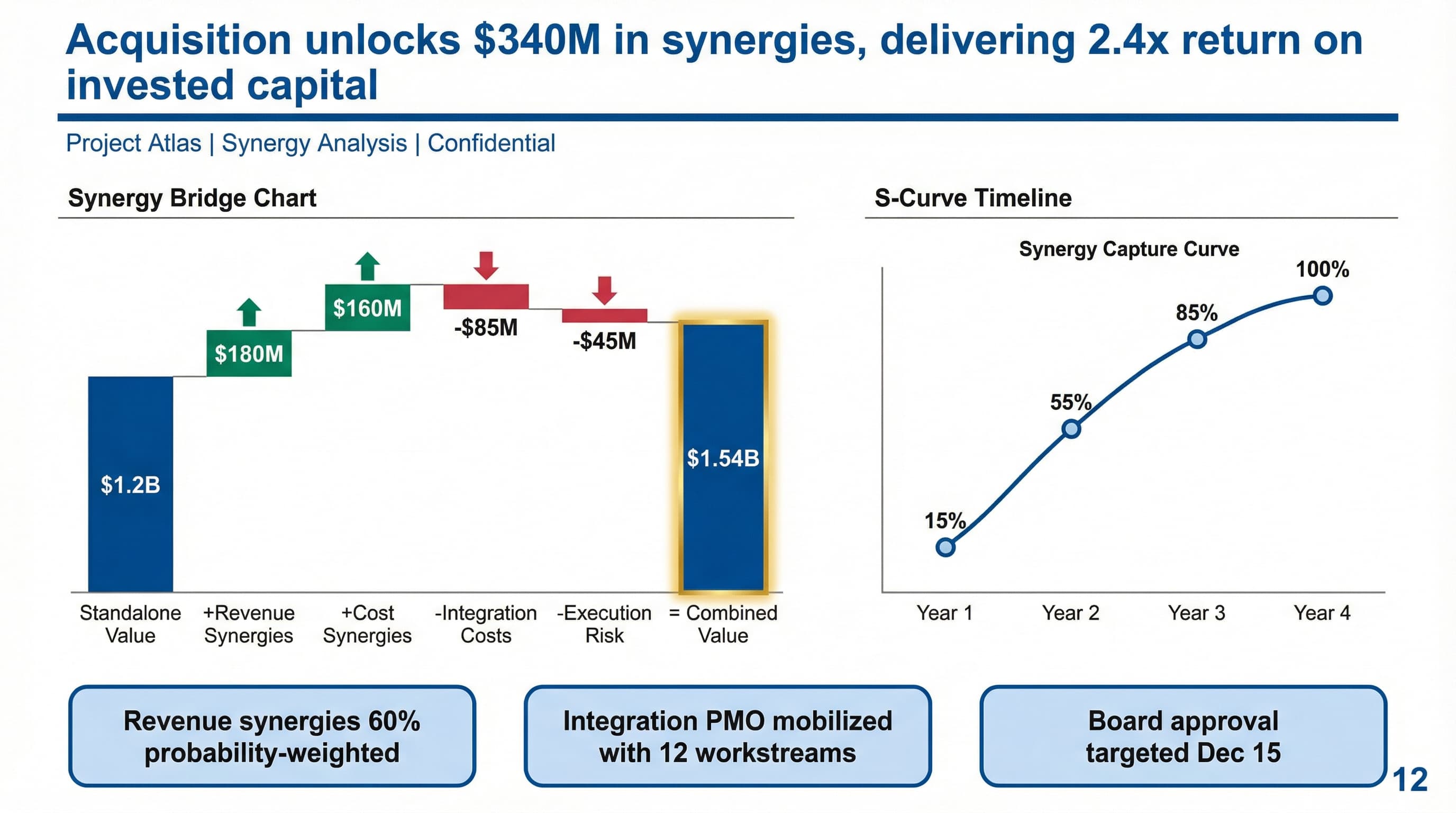
M&A Synergies
Map value levers, quantify synergies, and align a 100-day execution plan.
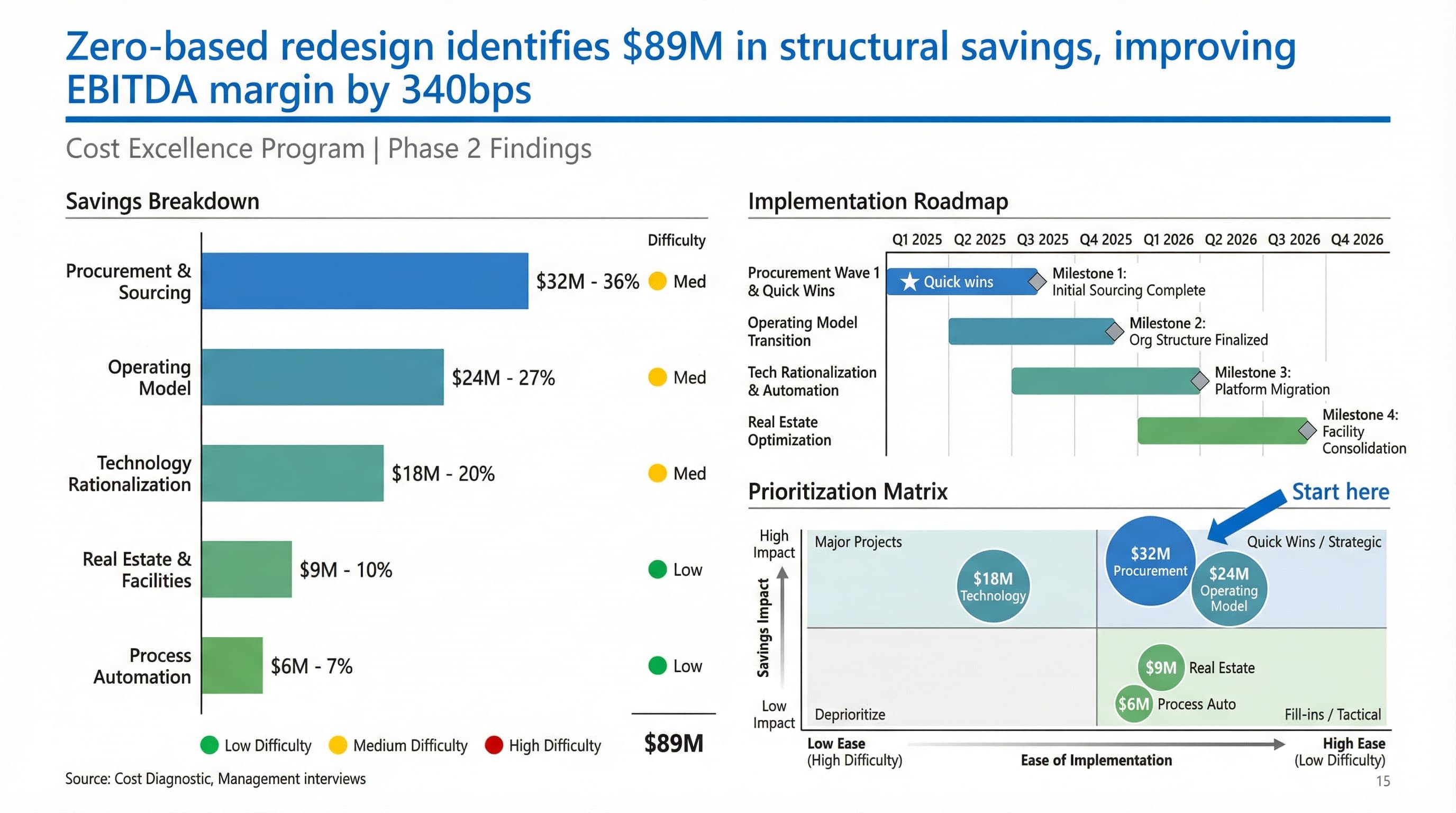
Cost Transformation
Build the fact base, define initiatives, and track savings with clear owners.
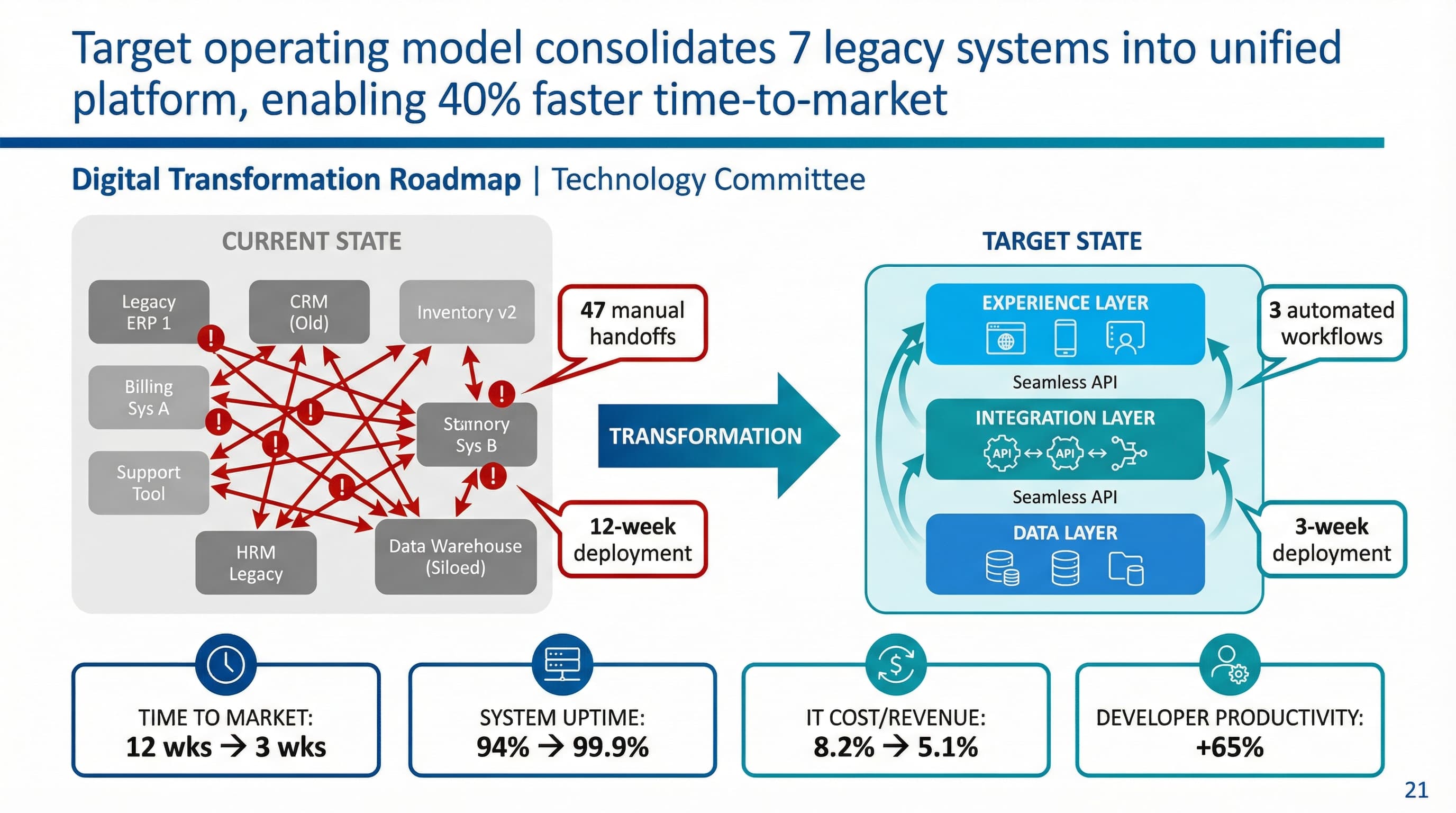
Digital Operating Model
Clarify org design, decision rights, processes, and platform priorities.
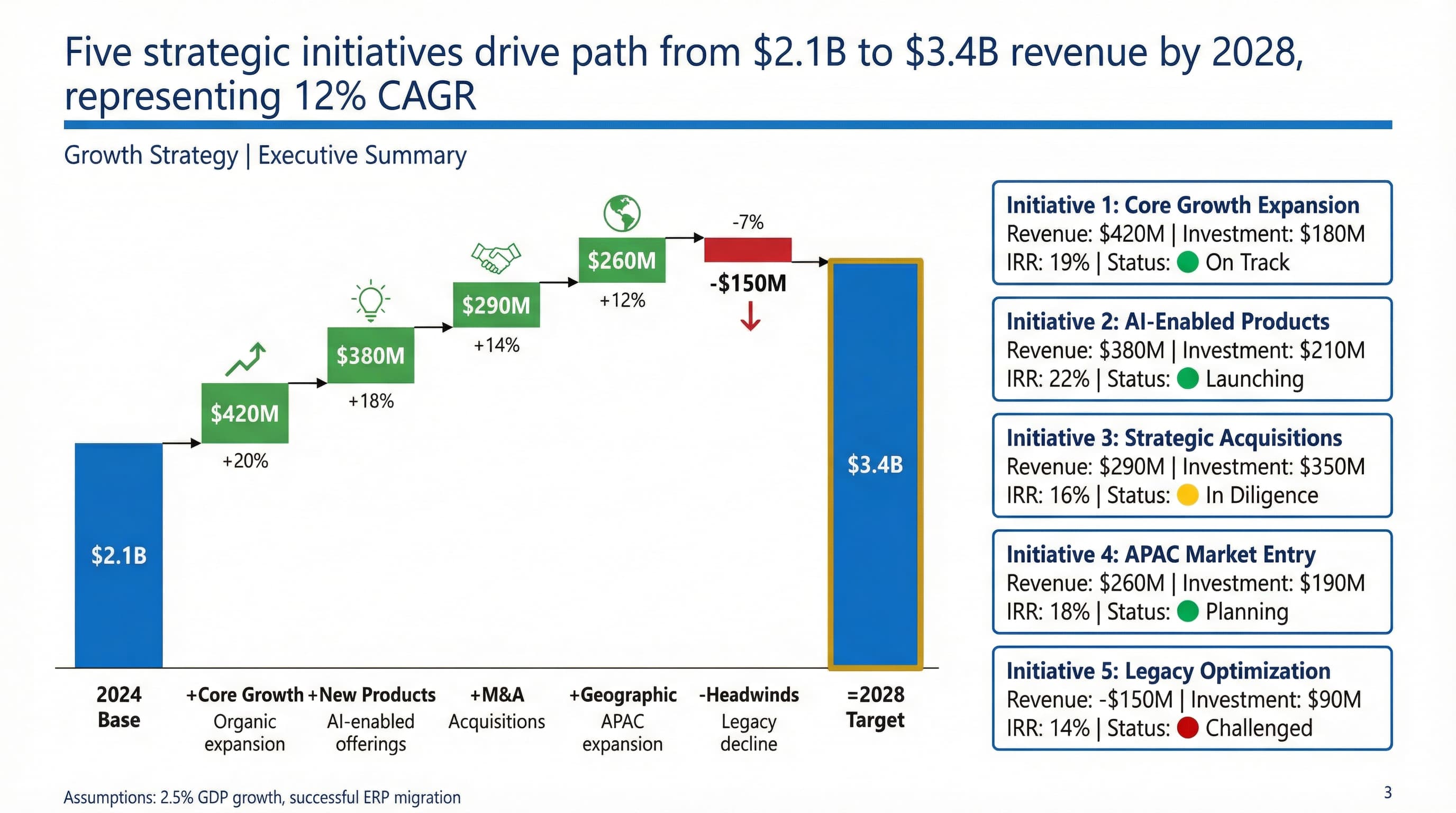
Growth Strategy
Prioritize bets, define your GTM plan, and translate strategy into execution.
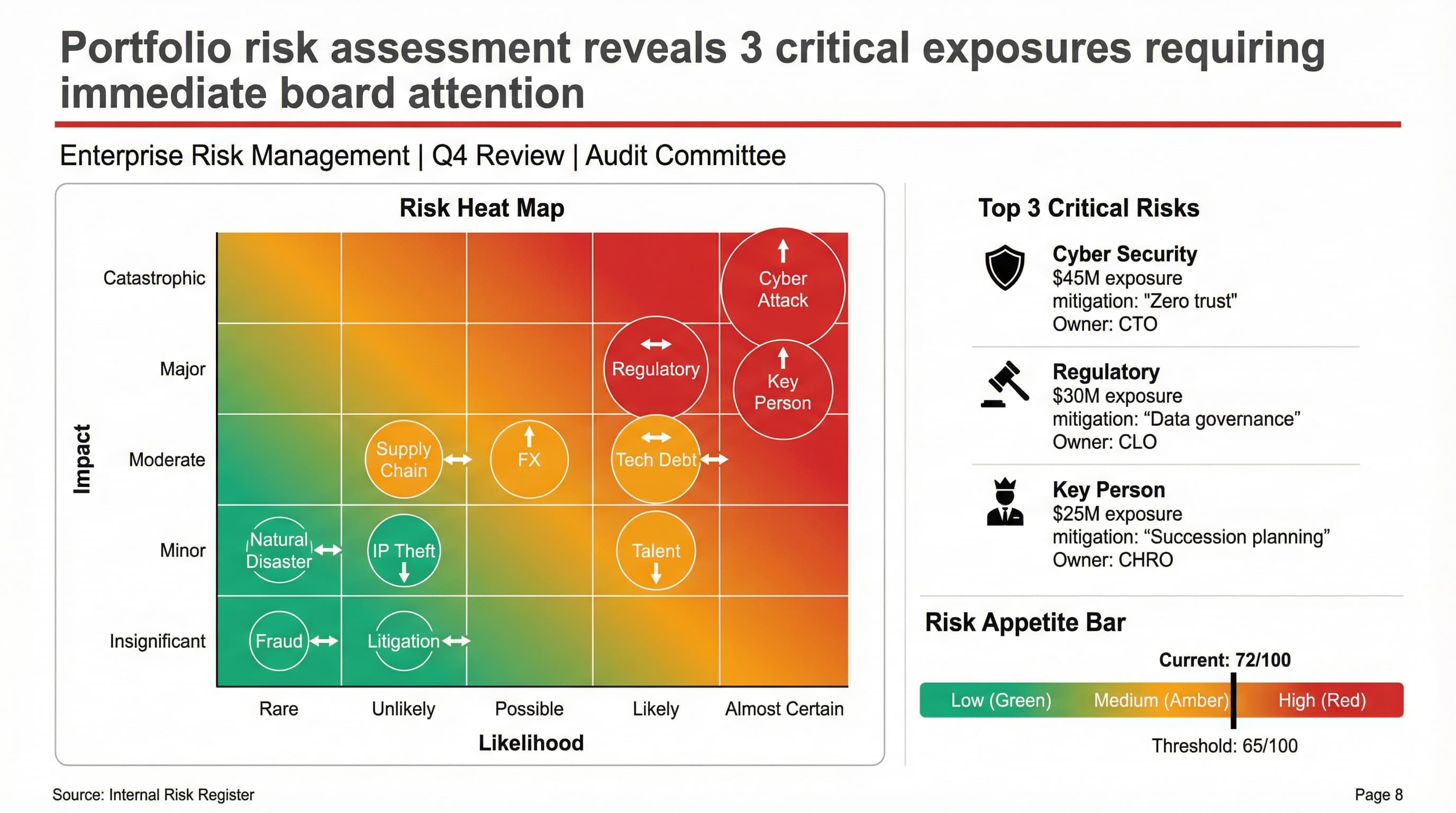
Risk Assessment
Identify risks, assign owners, and define mitigation plans that teams can follow.
Studio-quality slides—down to the text.
OrcaLumi is powered by Google's Gemini image generation + editing models—built for advanced text rendering, precise editing control, and high-resolution output. That means your slides look crisp, consistent, and client-ready.
Crystal-clear text
Headlines, bullets, and labels that render sharp and readable—built for text-heavy business slides.
Layout intelligence
Balanced whitespace, clean grids, and consistent alignment—so every slide feels designed, not "generated."
Natural-language editing
Change the headline, rewrite bullets, adjust emphasis, or regenerate a slide—just describe what you want.
Business-ready visuals
Generate diagrams and infographic-style visuals that are context-aware and detailed—slides that look credible at a glance.
Not generic AI slides. Client-ready decks.
Most slide tools produce a draft you still have to redesign. OrcaLumi is built to generate polished, consulting-style slides with consistent typography, spacing, and visual language—so the deck is ready to present.
Make edits in OrcaLumi with natural language, then re-export.
Walk into every meeting confident.
Bad slides distract. Great slides drive decisions. OrcaLumi helps you present with clarity and polish—every time.
Match the standard buyers expect
Get a clean storyline and polished layouts that match the standard buyers expect.
Full deck in minutes
Generate a full deck in minutes—then iterate slide-by-slide in seconds.
Modernize any PDF
Import a PDF and modernize it into a consistent, current-looking presentation.
Consistent visual system
Pull colors from your logo and apply a consistent visual system across the deck.
Update with a sentence
Update a slide with a sentence. Regenerate and re-export instantly.
No software lock-in
Download PowerPoint or PDF for presenting and sharing—no software lock-in.
Three steps. No design spiral.
Pick a style
Choose a consulting-style preset—or describe your own design rules.
Add content
Paste notes, upload a doc, or import a PDF deck.
Export
Download PowerPoint (high-resolution slide images) or PDF. Edit in OrcaLumi with natural language and re-export anytime.